
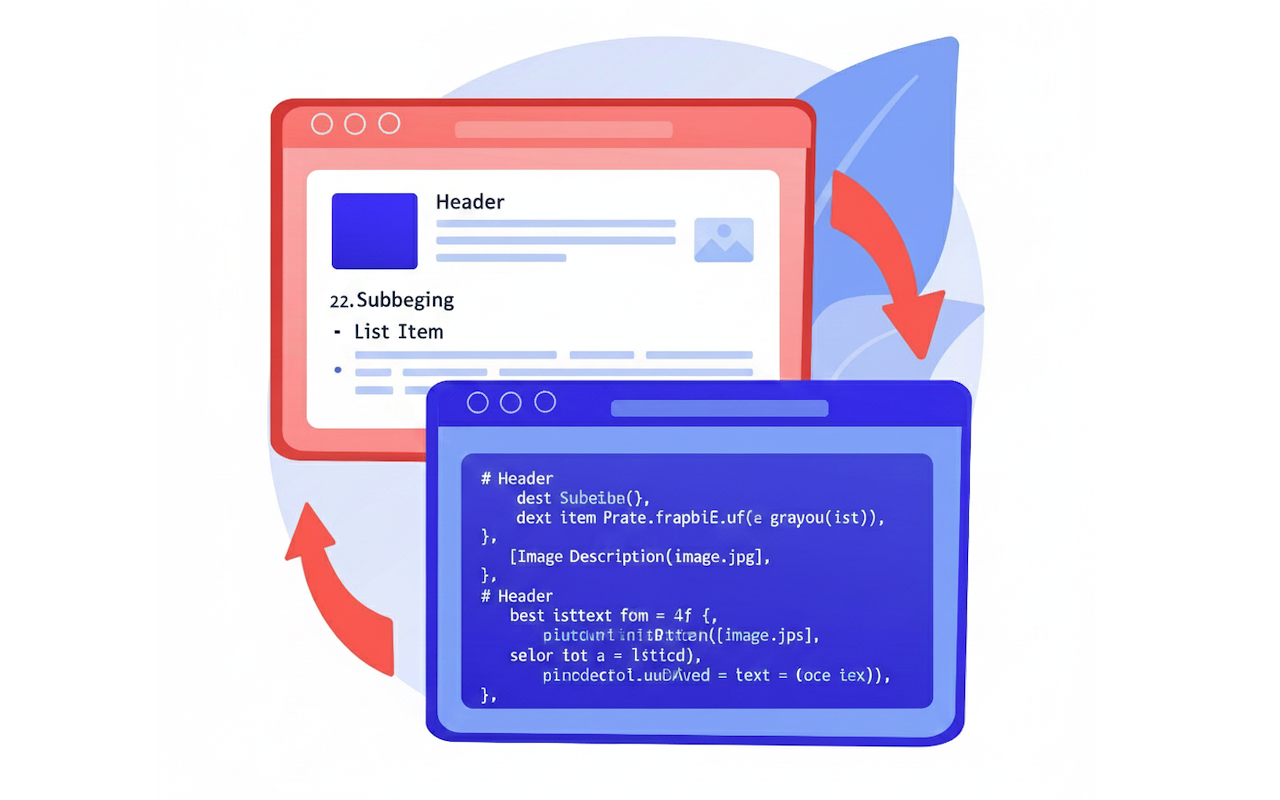
Scraping a website and converting it into Markdown has become an increasingly common workflow for developers, researchers, and writers who want clean, portable versions of online content. A human-readable Markdown format makes it ideal for documentation, offline reading, personal wikis, and note-taking apps like Obsidian or Notion. As more websites rely on heavy design, scripts, and advertising overlays, Markdown offers a clutter-free format that preserves the essential text and structure without the noise.
Nearly 35% of developers use Markdown as part of their daily workflow, which explains why converting webpages into Markdown is so valuable. Whether you’re building a personal knowledge base, archiving tutorials, or preparing datasets for NLP projects, scraping to Markdown provides a flexible, future-proof way to preserve information.
This article walks through what Markdown is, different approaches to scraping websites, legal considerations, and how to scrape multiple URLs using PHP and Decodo.
What Is Markdown?
Markdown is a lightweight markup language designed to be both human-readable and easily converted into other formats such as HTML, PDF, and documentation frameworks. It has become the default format for GitHub READMEs, API documentation, static site generators like Jekyll and Hugo, and productivity apps like Obsidian and Logseq.
Why Convert Webpages to Markdown?
Converting webpages into Markdown has several benefits. It removes unnecessary scripts, styles, advertisements, and tracking elements. It creates a clean, distraction-free version of the content that can be stored long-term, edited easily, or synced through Git. For researchers, writers, and engineers, Markdown is especially useful because it integrates seamlessly with version control and automation tools.
What Elements Can Be Extracted and Converted?
Most webpage elements translate cleanly into Markdown. Headings become #, ##, or ### markers. Paragraphs, links, lists, and inline formatting convert naturally. Images are preserved using Markdown’s  syntax, and code blocks are wrapped in triple backticks. Even HTML tables can be converted to Markdown tables, though complex layouts may require cleanup.
Here is the table translating HTML elements to Markdown format:
| HTML Element / Pattern | HTML Example | Markdown Equivalent | Notes |
|---|---|---|---|
| Heading 1 | <h1>Title</h1> | # Title | One # for top-level heading. |
| Heading 2 | <h2>Section</h2> | ## Section | Two # characters. |
| Heading 3 | <h3>Subsection</h3> | ### Subsection | Add more # for deeper levels (####, etc.). |
| Paragraph | <p>This is a paragraph.</p> | This is a paragraph. | Blank line between paragraphs for clarity. |
| Bold / Strong | <strong>Important</strong> or <b>Important</b> | **Important** | Double asterisks or double underscores. |
| Italic / Emphasis | <em>Emphasis</em> or <i>Emphasis</i> | *Emphasis* | Single asterisk or single underscore. |
| Bold + Italic | <strong><em>Very important</em></strong> | ***Very important*** | Combine styles if needed. |
| Inline Link | <a href="https://example.com">Visit</a> | [Visit](https://example.com) | Text in [], URL in (). |
| Image | <img src="image.jpg" alt="Alt text"> |  | Same syntax as links, with ! in front. |
| Unordered List | <ul><li>Item 1</li><li>Item 2</li></ul> | - Item 1 - Item 2 |
You can also use * or + for bullets. |
| Ordered List | <ol><li>First</li><li>Second</li></ol> | 1. First 2. Second |
Numbers don’t have to be exact, but it’s cleaner if they are. |
| Nested List | <ul><li>Item<ul><li>Subitem</li></ul></li></ul> | - Item - Subitem |
Indent with two spaces (or a tab) for nesting. |
| Inline Code | <code>let x = 1;</code> | `let x = 1;` | Use single backticks around short code. |
| Code Block | <pre><code>line 1\nline 2</code></pre> | ``` line 1 line 2 ``` | Triple backticks before and after the block (optionally with language, e.g. ```js). |
| Blockquote | <blockquote>Quote here</blockquote> | > Quote here | Add > at the start of the line (or multiple lines). |
| Horizontal Rule | <hr> | --- | You can also use *** or ___ on a line by itself. |
| Table (simple) | <table><tr><th>A</th><th>B</th></tr><tr><td>1</td><td>2</td></tr></table> | | A | B | |---|---| | 1 | 2 | |
Visual table format. |
Interactive elements such as forms, sliders, pop-ups, ads, and embedded scripts do not meaningfully translate into Markdown. This is desirable, since the goal is to preserve readable content, not the page’s interactive behavior.
How to Scrape a Single Webpage to Markdown
Scraping begins by selecting a target URL. Simple static pages allow easy extraction, while JavaScript-heavy sites may require tools that render content as a browser would.
There are multiple ways to scrape and convert:
- Browser extensions, such as MarkDownload, allow users to clip any webpage and save it instantly as Markdown. This method is ideal for occasional, manual use.
- Command-line tools like
curlorwgetcan fetch the HTML, which can then be processed through Pandoc to convert it into Markdown. This approach is script-friendly and ideal for developers. - For advanced workflows, programming languages like PHP, Python, or Node.js offer HTML parsing libraries and Markdown conversion modules. These provide the highest level of control, allowing users to clean the HTML, remove unwanted elements, and handle dozens—or thousands—of pages in batches.
Once the HTML is extracted, cleaning it with readability libraries (such as Mozilla Readability) ensures that only the main content remains. Converting this HTML into Markdown with libraries like markdownify, html2text, or turndown yields a tidy, readable Markdown file.
Scraping Multiple URLs with PHP and Decodo API
Scraping one webpage is convenient. Scraping hundreds of pages manually is not.
For batch scraping, PHP combined with Decodo API provides a robust and efficient workflow. The Decodo API can fetch rendered HTML, extract the main content, and return structured data that is ideal for Markdown conversion. Using PHP, you can automate the entire process by looping through multiple URLs.
When You Need Batch Scraping
Batch scraping is useful when:
- Archiving entire blog sections
- Backing up online documentation
- Converting multiple articles into a personal wiki
- Preparing datasets for machine learning or summarization
- Migrating content into a new CMS or static site
Automating with PHP avoids manual effort and ensures consistency.
How the PHP + Decodo API Workflow Works
The workflow is straightforward:
- Store a list of URLs.
- Make an API request to Decodo API for each URL.
- Receive cleaned HTML or structured JSON.
- Convert the content to Markdown.
- Save the output as .md files.
- Log progress and handle errors gracefully.
This method supports dozens—or thousands—of pages with minimal manual involvement.
Tutorial: Scraping Multiple URLs with PHP + Decodo API
Below is a simplified example that demonstrates the entire process.
<?php // List of URLs to scrape
$urls = [
"https://example.com/blog/post-1",
"https://example.com/blog/post-2",
"https://example.com/docs/getting-started"
];

// Your Decodo API key
$apiKey = "YOUR_DECODO_API_KEY";

// Loop through each URL
foreach ($urls as $url) {

echo "Processing: $url\n";

// Prepare API request payload
$payload = json_encode([
    "url" => $url,
    "extract" => "article",       // Extract readable article content
    "format" => "html",           // Return HTML for Markdown conversion
]);

// Initialize cURL request
$ch = curl_init("https://scraper-api.decodo.com/v1/tasks");
curl_setopt($ch, CURLOPT_HTTPHEADER, [
    "Content-Type: application/json",
    "Authorization: Bearer $apiKey"
]);
curl_setopt($ch, CURLOPT_POSTFIELDS, $payload);
curl_setopt($ch, CURLOPT_RETURNTRANSFER, true);

// Execute API request
$response = curl_exec($ch);
curl_close($ch);

// Decodo JSON response
$data = json_decode($response, true);

if (!isset($data["content"])) {
    echo "Failed to extract content from $url\n";
    continue;
}

$html = $data["content"];

// Convert HTML to Markdown using a PHP library
require "vendor/autoload.php";
$converter = new League\HTMLToMarkdown\HtmlConverter();
$markdown = $converter->convert($html);

// Create filename from page title or slug
$slug = preg_replace("/[^a-z0-9]+/i", "-", basename($url));
$filename = "output/" . strtolower(trim($slug, "-")) . ".md";

// Save Markdown file
file_put_contents($filename, $markdown);

echo "Saved: $filename\n\n";
}
What this script does:
- Fetches each webpage via Decodo API
- Extracts readable article content
- Converts HTML to clean Markdown
- Saves each page as a .md file
- Automatically creates filenames based on URL slugs
This script can be expanded with:
- Error retry logic
- Rate-limit handling
- YAML front matter generation
- Image downloading
- Folder organization
It serves as a solid starting point for large-scale scraping to Markdown.
Best Practices for High-Quality Markdown Exports
Clean Markdown yields better long-term results. Applying readability filters before conversion helps isolate the article’s main content. Maintaining a consistent folder structure (e.g., /docs/page.md with /docs/images/) ensures portability. Version control with Git makes managing large markdown collections easier, especially for research or team documentation.
Developers working with large datasets should consider adding front matter metadata (title, date, source URL), enabling smooth integration with static site generators like Hugo or Jekyll.
Common Challenges When Converting to Markdown
Scraping content isn’t always perfect. JavaScript-heavy websites may require full browser rendering. Markdown conversion tools sometimes misinterpret unusual HTML structures. Images with relative URLs may need to be rewritten to absolute URLs, and multilingual pages can introduce encoding issues.
These challenges are normal and can be mitigated by testing, applying custom cleaning rules, and validating output in multiple editors.
Legal and Ethical Considerations
Before scraping any website, it’s crucial to follow legal and ethical guidelines:
- Check robots.txt: Many websites specify what can and cannot be scraped.
- Respect Terms of Service: Some sites forbid automated extraction.
- Avoid scraping copyrighted material without permission.
- Use responsible request rates to avoid unintentional overload.
- Never scrape paywalled or private content.
Scraping publicly available pages for personal use, research, or internal documentation is generally acceptable, but always verify your use case.
Conclusion
Scraping websites into Markdown unlocks a cleaner, more flexible way to store online content. Whether you’re capturing a single tutorial or converting hundreds of URLs, the combination of Markdown, scraping tools, and APIs makes the process efficient and scalable. With responsible scraping practices and the batch-processing capability of PHP (or Python), anyone can build a well-organized Markdown archive that stands the test of time.
Featured Image from Freepik manipulated by Google Gemini.
Share this post
Leave a comment
All comments are moderated. Spammy and bot submitted comments are deleted. Please submit the comments that are helpful to others, and we'll approve your comments. A comment that includes outbound link will only be approved if the content is relevant to the topic, and has some value to our readers.
Comments (0)
No comment